Using Require and Include with SnipVault Snippets
Written By mark@uipress.co
Last updated Over 1 year ago
SnipVault makes it easy to organise and connect your code snippets through PHP's require and include functions or JavaScript imports. This capability is particularly useful for building modular code that's easier to maintain.
How to Reference Other Snippets
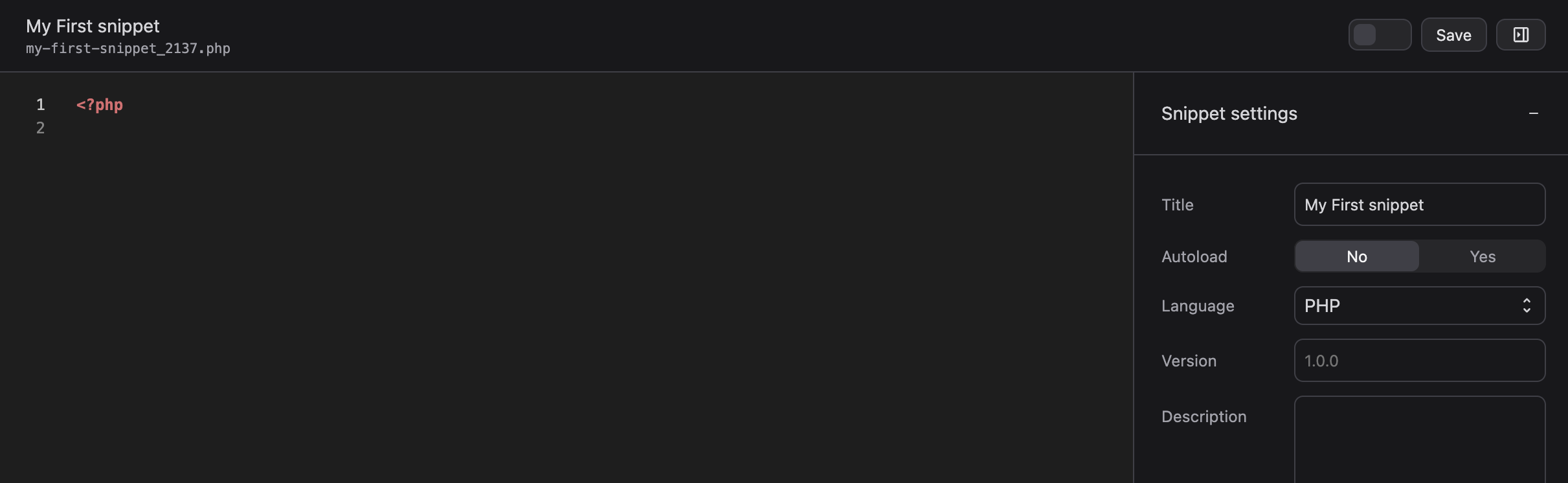
When you save a snippet in SnipVault, it generates a unique filename that's displayed below the snippet title (as shown in the screenshot: my-first-snippet_2137.php). These filenames are crucial for referencing one snippet from another.
For PHP Snippets
Since all SnipVault snippets are stored in the same directory on the server, you can easily include or require other PHP snippets using relative paths:
// Include another snippet using its generated filename
require_once './another-snippet_1234.php';
// Or use include if the file is optional
include './helper-functions_5678.php';
For JavaScript Snippets
For JavaScript snippets that use imports or requires, you must first set the script type to "module" in your snippet settings:
IMPORTANT NOTE: To use
importor ES6 module syntax in JavaScript, you must ensure your snippet is set to type "module" in the snippet settings. Without this setting, modern import/export syntax will not work.
Once configured correctly:
// Import from another JS snippet
import { someFunction } from './utility-functions_9876.js';
// Or using dynamic import for async loading
const config = await import('./config_4321.js');
For CSS Snippets
CSS snippets can use @import to include other CSS files:
@import url('./theme-colors_7890.css'); Best Practices
Check the filename: Always refer to the exact filename displayed under the snippet title after saving
Use relative paths: Always use the
./prefix to indicate the current directorySet correct script type: For JavaScript using imports, ensure the type is set to "module"
Create dependency hierarchies: Structure your snippets with clear parent-child relationships
Document dependencies: Note in each snippet's description which other snippets it depends on
By leveraging SnipVault's file structure, you can build sophisticated, modular code systems while maintaining the security and version control benefits that SnipVault provides.
Was this helpful?
Still need help? Share an idea